EMAIL US
sales@scanneroptics.com
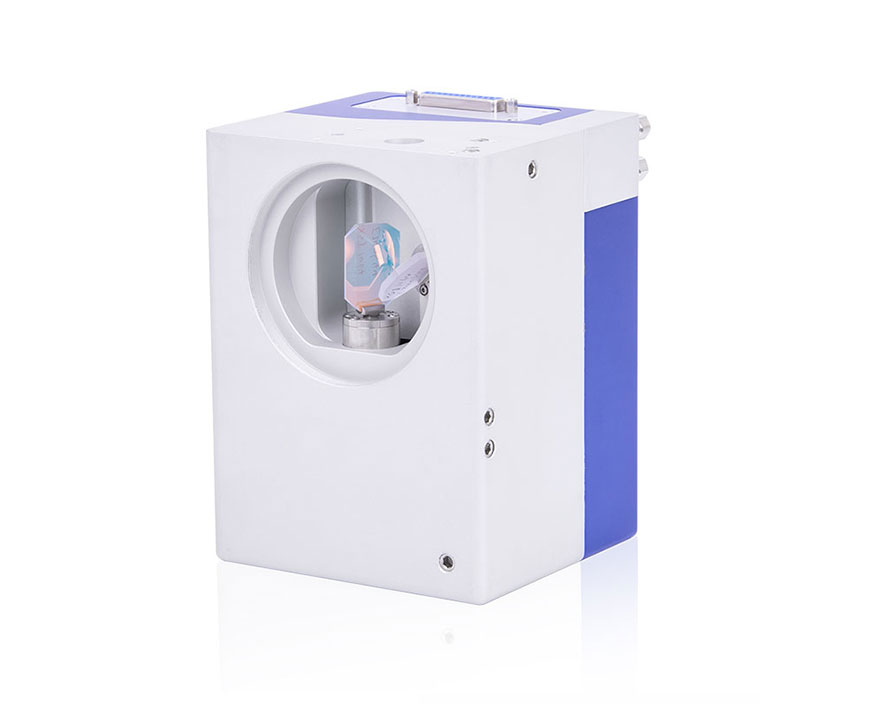
Galvo laser systems are widely used in high-precision laser marking and processing applications. Despite their reliability, users may encounter common issues such as motor lock-up, weak motor torque, swing failure, or laser output problems. This guide provides step-by-step solutions to troubleshoot Galvo laser systems efficiently and ensure stable long-term operation.
First, check the Galvo system connections for any breaks or short circuits. Make sure all connections are correct and the safety fuse is intact. Once confirmed, turn on the power and observe the indicator light on the galvanometer driver board. If the light is green or yellow, the system is normal. If it is red or not on, disconnect the driver board power line and use a multimeter to measure the input voltage at the terminals, which should be ±24V. After confirming the voltage is normal, test again with the driver board and machine load connected. If the voltage is still abnormal, open the control box and measure the switch power supply voltage without a load. Replace the switch power supply if the voltage is incorrect.
Once the power input is confirmed normal, reconnect all wires and turn on the power. The motor should make two clicking sounds. If there is no sound, gently push the galvanometer mirror by hand. If the mirror does not lock up, the driver board is likely damaged. If the voltage output is normal but the driver board light is red or off, either the driver board or the motor is faulty.
To further diagnose, use a confirmed intact driver board or motor for cross-testing. Connect the intact driver board to the original motor, or the intact motor to the original driver board. If the galvo motor still does not lock up, the galvo motor is damaged. If the motor does not power on with the intact motor, the driver board is damaged. Always ensure the power is off before connecting or disconnecting wires.
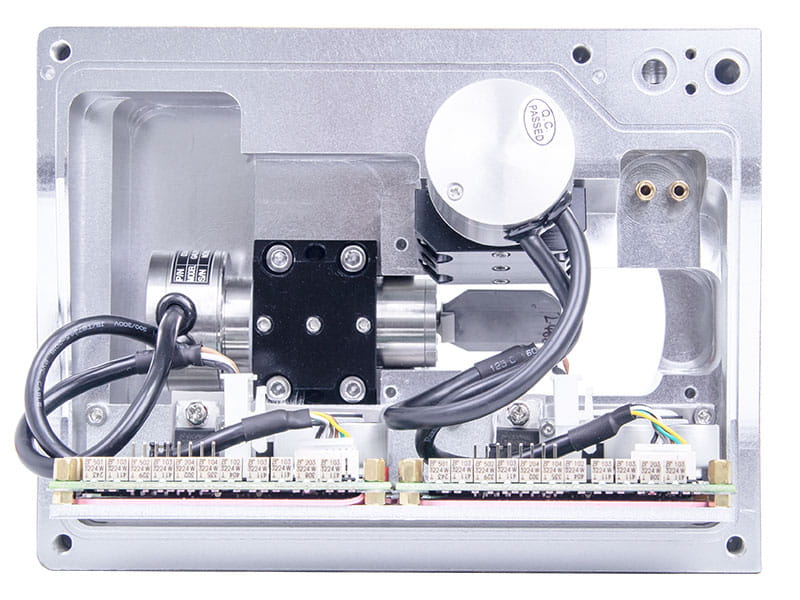
Use a confirmed intact galvo driver board and a intact galvo motor to connect to the test driver board and galvanometer head respectively. Turn on the power normally and gently turn the galvanometer shaft by hand. If it becomes "hard", it is normal. Otherwise, it can be determined that the galvanometer driver board and galvo motor are damaged.
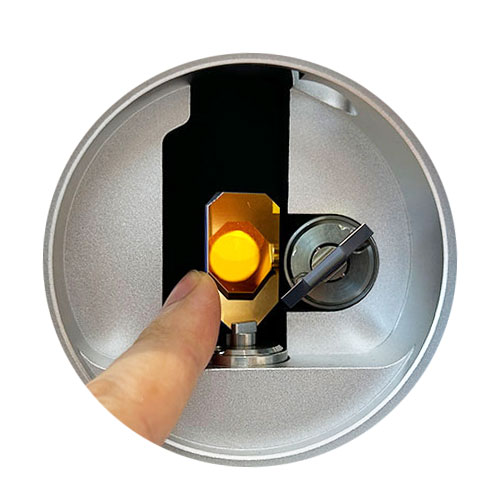
Check whether the marking card has a control signal output. If there is, check whether the galvanometer signal connection is well connected. After confirming the correctness, mark the object. If there is still no swinging, check whether the signal wires are reversed or disconnected. Otherwise, it can be determined that the driver board is damaged.
The marking speed of the software is too fast, the field mirror is not installed, the galvo system does not move and the swinging position is incorrect, the galvanometer mirror falls off, or the galvanometer mirror is dirty. The first few problems can be solved using the above methods. If the galvanometer mirror falls off or cracks, it needs to be replaced with a new mirror and the laser needs to be adjusted by returning it to the company. If the galvanometer mirror is dirty, clean it with 99% alcohol and a degreasing cotton. If it cannot be wiped off and it is 1 square millimeter large in the center or edge of the galvanometer, the galvanometer mirror needs to be replaced, the same as handling for a fallen-off galvanometer mirror.
A1: Check connections, voltage, and driver board. Refer to the troubleshooting steps above.
A2: Test with a confirmed intact driver board and motor. Replace faulty components if necessary.
A3: Check marking speed, mirror installation, and galvanometer alignment. Clean or replace the mirror if needed.
A4: Use 99% alcohol with degreasing cotton, gently wipe, avoid touching edges. Replace if surface damage >1 mm².
 zh-CN
zh-CN
 English
  日本語
日本語  한국어
한국어  français
  Deutsch
  Español
  italiano
  русский
  português
  tiếng việt