EMAIL US
sales@scanneroptics.com
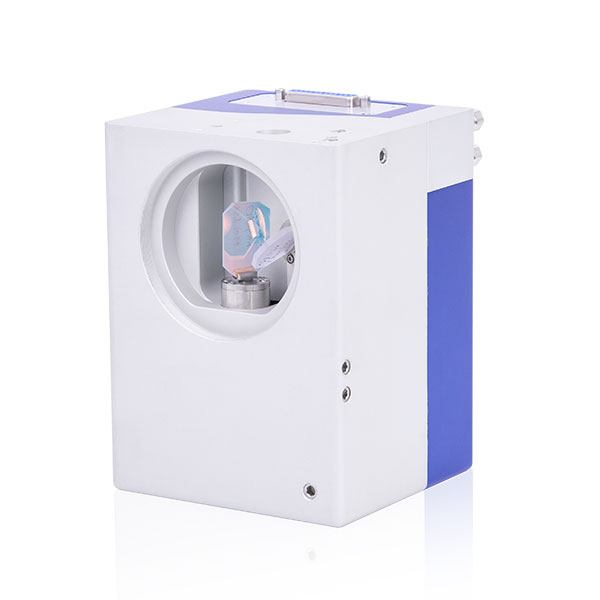
A galvanometer scan head is a core component of high-precision laser systems. It reflects and directs the laser beam quickly and accurately using precision galvanometer mirrors. Galvo heads are widely used in laser engraving, cutting, welding, and 3D printing applications.
As demand grows for faster production and more precise laser processing, the galvanometer scan head has become a standard solution for modern laser systems. Common types of laser scanning heads include Fiber Laser Galvo Head (1064 nm), Green Galvo Scanner Head (532 nm), UV Laser Scan Head (355 nm), and CO₂ Laser Galvo Head (10.6 µm), each designed for specific laser wavelengths, power levels, and beam diameters.
The market trend shows an increasing need for high-performance galvo heads compatible with multiple wavelengths, while cost-effectiveness remains an important consideration. Customers often compare galvo head prices and specifications when selecting the right laser scan head for their systems. For more detailed information about galvo heads and their features, see the galvo head introduction. The following mainly introduces some precautions during installation and maintenance.
To minimize the risk of accidents when using a galvo head laser, please follow these safety guidelines:
Never look directly at the laser beam or its scattered light during assembly or operation, and keep your body away from the beam.
Using the galvo head together with other optical components may increase the hazard from stray radiation.
Always turn off the laser and galvo head power before inspecting the device.
Seal and cover the laser beam path to prevent unintended radiation.
Do not touch mirrors or obstruct their movement while the galvo head is running; ensure mirrors are not accidentally displaced.
Follow standard laser safety operation rules at all times.
Protect mirrors from dust, humidity, and corrosive gases.
Wear cotton gloves when handling mirrors.
Clean mirrors only with specialized optical cleaning paper.
Keep the galvo head away from strong magnetic fields to avoid damaging electronic components.
The laser beam can cause severe injury to eyes and skin; always wear appropriate protective eyewear.
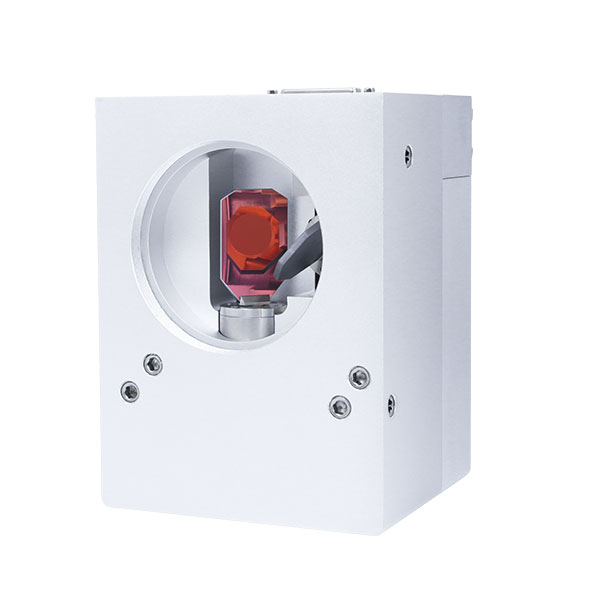
Remove the tape covering the input aperture and take off the dust cap.
Clean the mirrors before installation, ensuring they are free from oil, dust, or fibers.
Inspect the mirror surfaces. If dust or debris is present, gently wipe using specialized optical cleaning paper. Note: the cleaning paper should be used only once, and avoid back-and-forth rubbing.
Install the F theta lens with the adapter ring.
Ensure the machine connectors match the galvo head.
Align the galvo head with the machine and insert the positioning pins for precise placement.
Secure the head with screws to ensure stability.
| Maintenance / Fault | Symptom | Troubleshooting Method |
| Mirror Cleaning | Dust or debris on mirror | Wear cotton gloves, hold the edge of the mirror with the optical surface facing up. Use clean compressed air to remove dust. For oil or stubborn debris, use specialized optical cleaning paper (single-use only). |
| Red Light Off-Center or Only in Center | Laser red light is not evenly distributed | 1. Stop laser and check if the galvanometer is enabled and power connections are correct. 2. Verify software protocol settings. 3. If unresolved, return to manufacturer for inspection. |
| Wavy or Shaking Scan Lines | Scan lines are wavy, misaligned, or jittering | 1. Check for interference sources; ensure grounding and filtering.2. Confirm scan speed is within manufacturer guidelines.3. Check control card signal output.4. If unresolved, return for maintenance. |
| Power-On Whistling | Galvo head emits noise when powered | 1. Inspect signal cables for loose connections or soldering issues.2. Ensure laser is centered on the mirror, not hitting the holder.3. Check mirror for looseness. |
| Mirror Damage or Burn Marks | Mirror shows burn spots or damage | 1. Verify field lens focal parameters and adapter ring selection with manufacturer.2. Ensure laser power does not exceed mirror threshold.3. Avoid dust entry causing burn spots.4. Replace mirror if damaged. |
| Laser Output Power Decrease | Laser energy is weaker | 1. Check if input beam diameter exceeds galvo head aperture.2. Ensure no obstruction in the optical path.3. Inspect mirrors and other optical components.4. Check laser source and field lens. |
| Other Issues | Any other abnormal behavior | Contact manufacturer or sales engineer for support. |
Proper installation, maintenance, and adherence to laser safety rules for your galvo head for laser marking / laser cutting / laser engraving ensures stable, high-performance operation of your laser system. Following installation guidelines, cleaning mirrors regularly, and controlling laser power and beam diameter can extend the lifetime of your galvo head, minimize downtime, and optimize production efficiency.
 zh-CN
zh-CN
 English
  日本語
日本語  한국어
한국어  français
  Deutsch
  Español
  italiano
  русский
  português
  tiếng việt